Documentation Review
Documentation Review: branches, approvers, merge rules, and comments. (Enterprise)
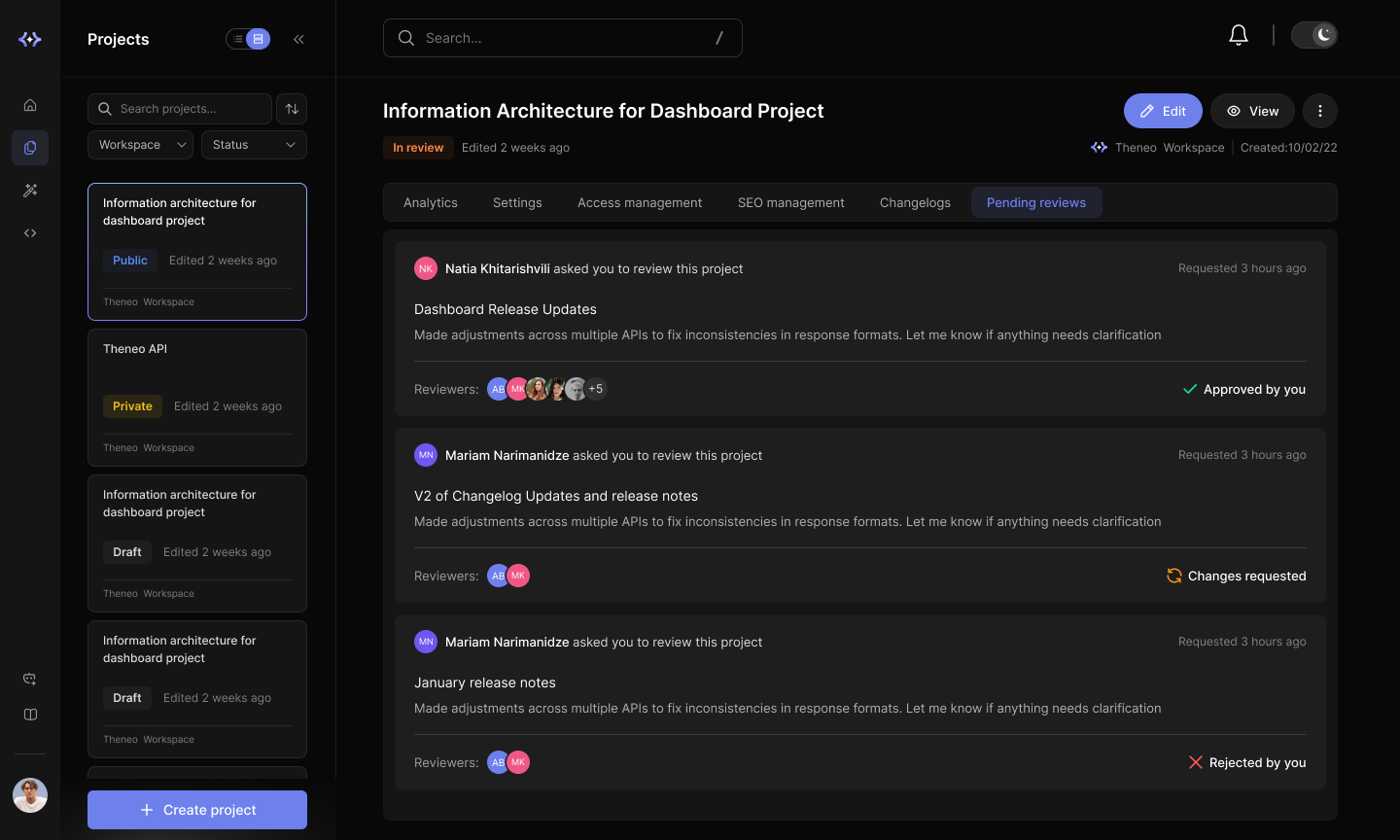
How it works
1
Create a branch
Start a branch off your live documentation to draft changes safely, without touching what's published.
2
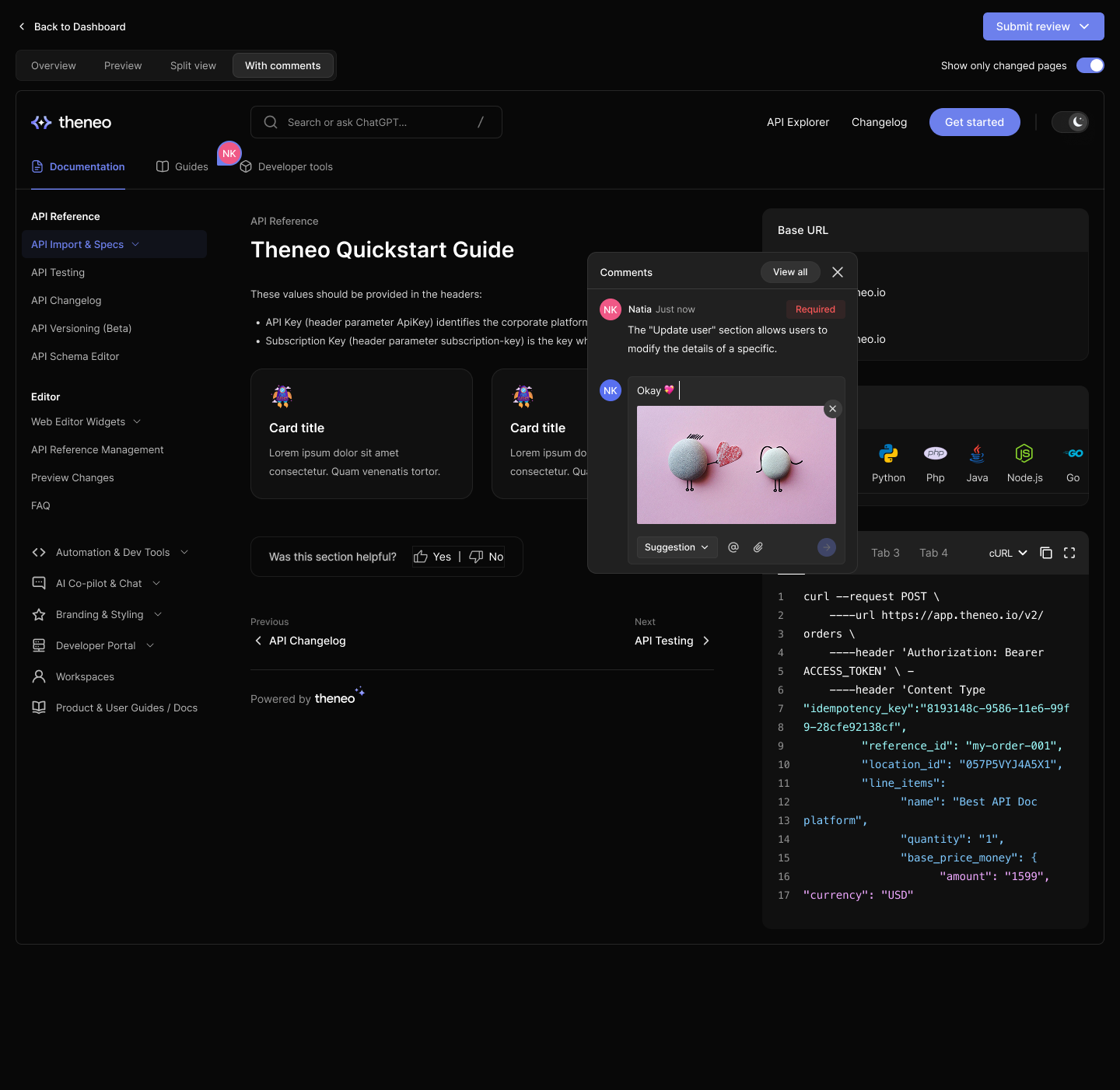
Edit and discuss
Make your edits and use inline comments to ask questions, suggest wording, and resolve feedback right where the change lives.
3
Request approval
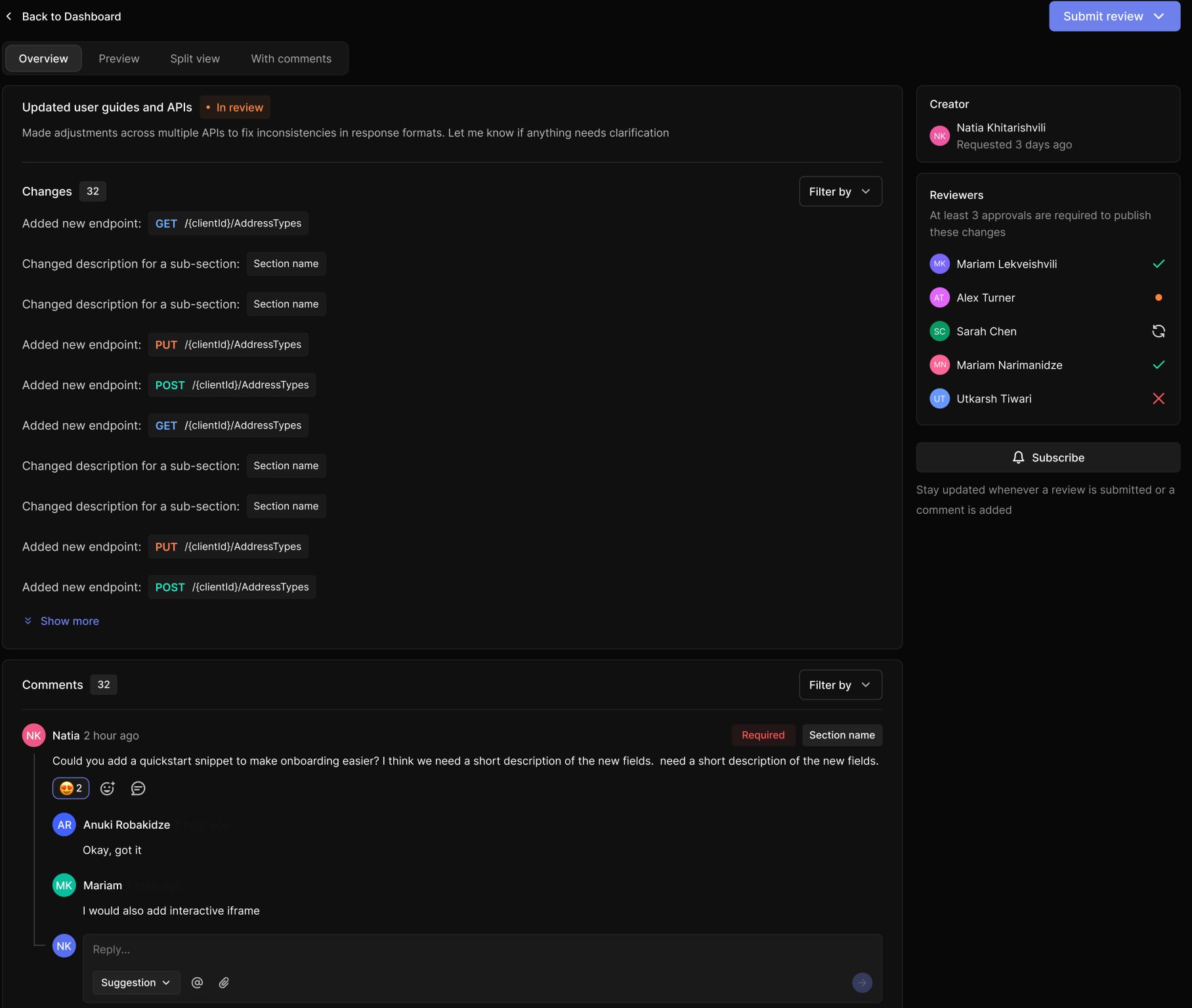
Open a review and assign approvers. They see exactly what changed and can approve, request changes, or comment.
4
Satisfy the merge rules
Merge rules, for example, requiring a minimum number of approvals before a branch can be merged.
5
Merge and publish
Once approved, merge the branch into your live docs. Your reviewed changes go out with a clear, auditable trail of who approved what.
What you get
Branches
Draft changes in isolation and keep your published docs stable until you're ready.
Approvers
Designate who must sign off before changes can go live.
Merge rules
Codify your review policy (like a required number of approvals) and enforce it automatically.
Comments
Discuss and resolve feedback inline, right on the changes under review.
Full Overview is available here:
Looking for a lighter-weight gate? Documentation Publishing Rights restricts who can publish, and Live Collaboration lets your team edit together in real time.


On this page
- Documentation Review