Reusable Content
Reusable Content is an editor widget for content you need in more than one place. You maintain a single shared block and embed it wherever it is needed, so there is one source of truth instead of many copies to keep in sync.
Edit a reusable block once and every place it appears updates at the same time, including in other projects across your workspace.
Adding a reusable block
1
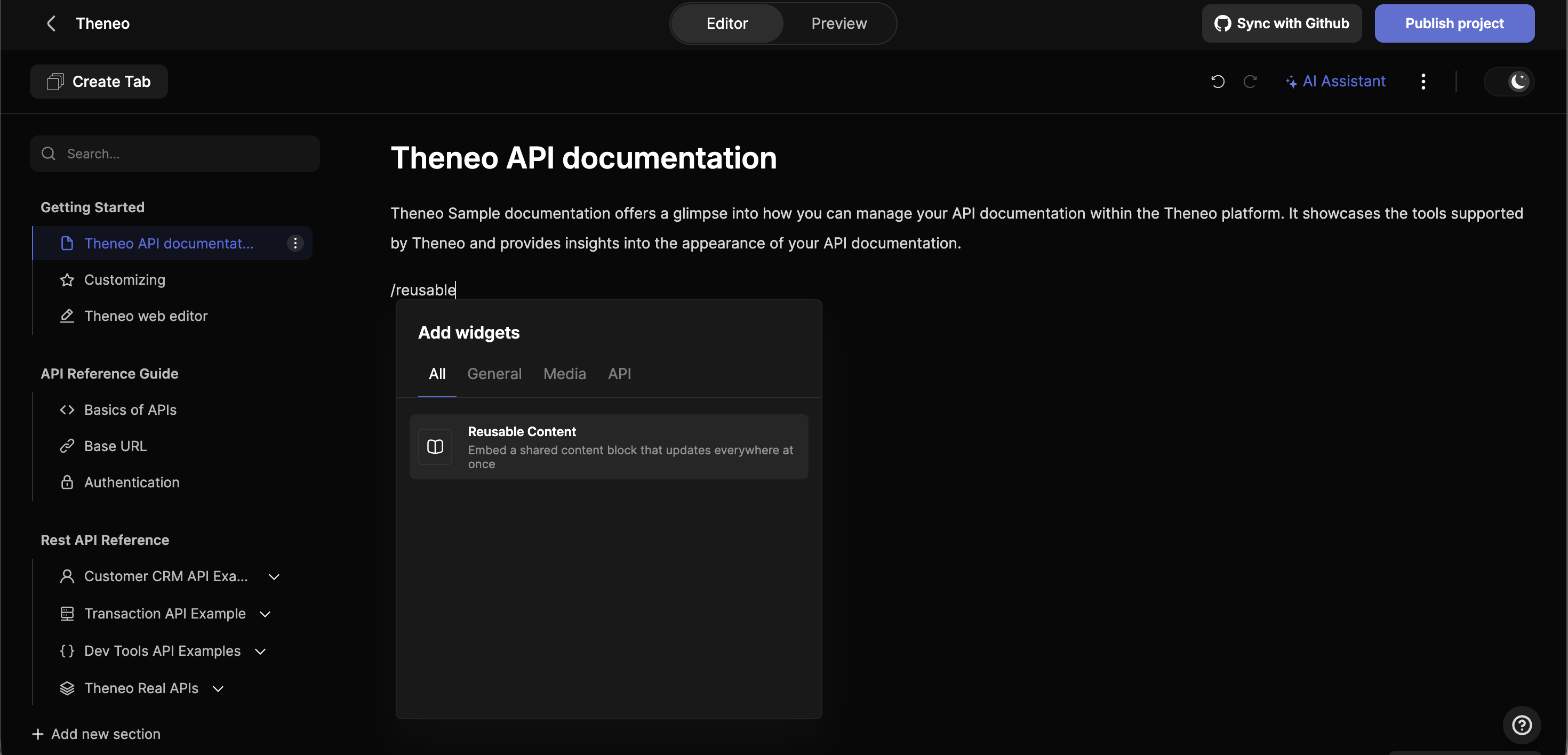
Open the widget
In the editor, start a new line and type “/”, then choose Reusable Content (or type “/reusable”).
2
Create or reference
Create a new shared block, or reference an existing one to embed content you have already set up.
3
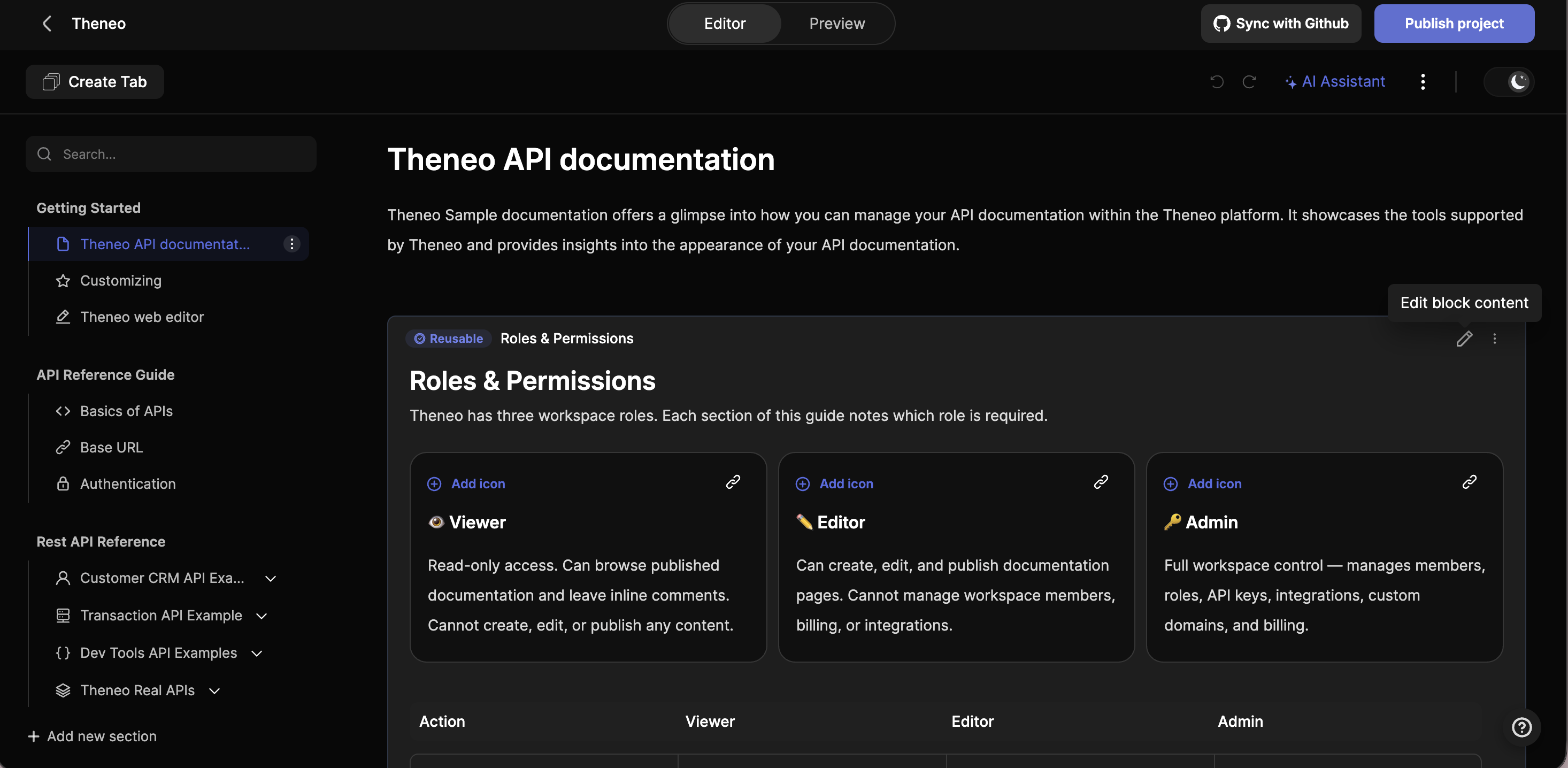
Embed it
The block is added inline and marked with a Reusable tag, so it is easy to recognize in the editor.
Editing updates everywhere
When you edit a reusable block, the change propagates to every place it is embedded: the current project and any other project where the same block is used. There is no need to update each copy by hand, which keeps shared content consistent everywhere it appears.
When to use it
- Shared procedures: authentication, setup, or onboarding steps repeated across pages.
- Boilerplate: standard terms, legal text, or support contacts.
- Branding: guidelines and disclaimers that must read the same everywhere.
- Cross-project content: anything reused across multiple projects in your workspace.


On this page
- Reusable Content