AI Writer
The AI Writer widget generates, improves, and restructures content, without leaving the editor.
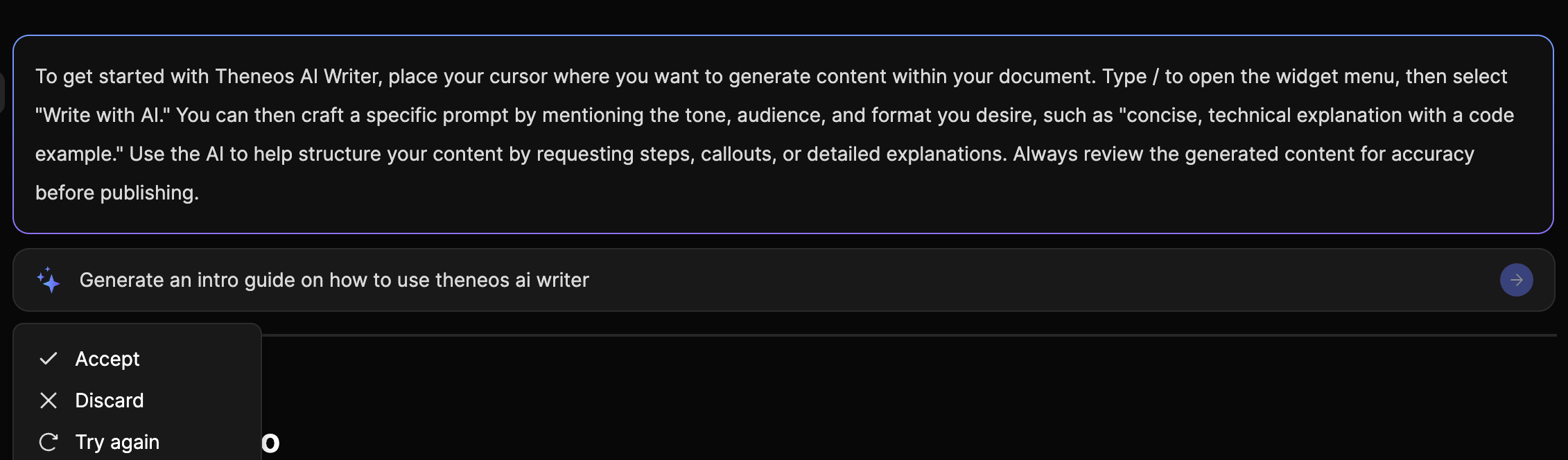
What you can do
- Continue writing: generate the next paragraph to push past writer's block.
- Simplify content: rewrite text to be clearer and easier to understand.
- Expand sections: add detail, examples, or explanations while keeping the structure.
- Custom prompt: ask for exactly what you need (e.g. "Turn this into a step-by-step guide with a warning callout.")
Add AI Writer to your document
- Place your cursor where you want the AI-generated content.
- Type
/to open the widget menu. - Select Write with AI.
Best practices
- Be specific in prompts: mention tone, audience, and format (e.g. "concise, developer-focused, include a code block").
- Use AI to structure content: ask for steps, callouts, and examples to make docs more scannable.
- Always review before publishing: AI Writer accelerates drafting, but you should validate technical accuracy and product details.
Was this section helpful?


On this page
- AI Writer