Manually defining an API
No OpenAPI or Postman file? You can define your API by hand, one endpoint at a time, using the API Management widget right in the editor. This is ideal for small or internal APIs, early drafts, or endpoints you want documented before a formal spec exists.
Already have a spec? Import it instead from Import Your API for OpenAPI, Swagger, Postman, and more. Manually defined endpoints and imported ones can live side by side in the same project.
Add and configure the widget
1
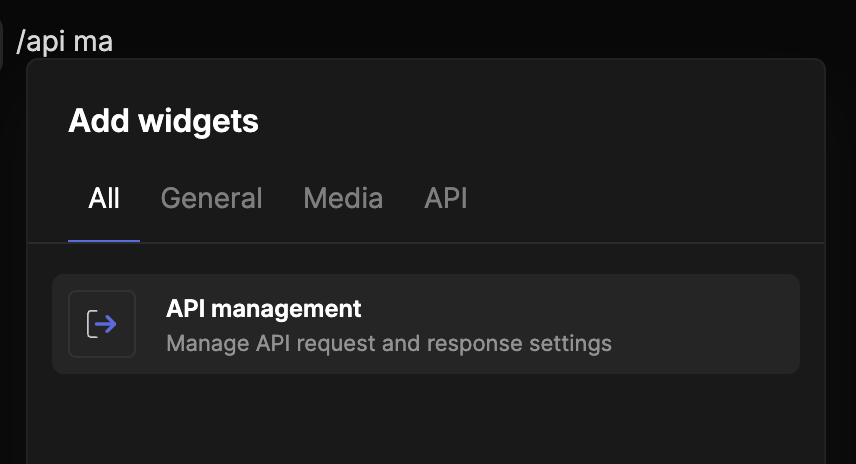
Insert the widget
Navigate to the section you want, type / to open the widget menu, and select API Management.
2
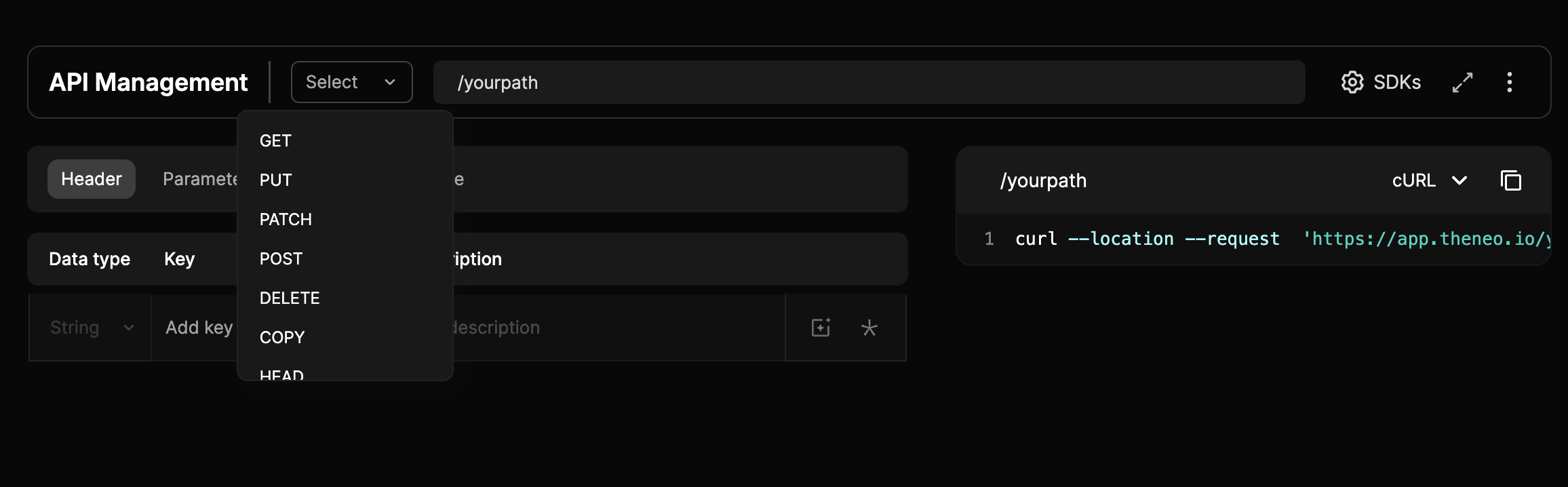
Configure the HTTP method
Click the method dropdown in the widget header to choose GET, POST, PUT, PATCH, DELETE, and more.
3
Define the endpoint path
Enter the path next to the method (it is appended to your base URL), then press Save Changes or Enter.
4
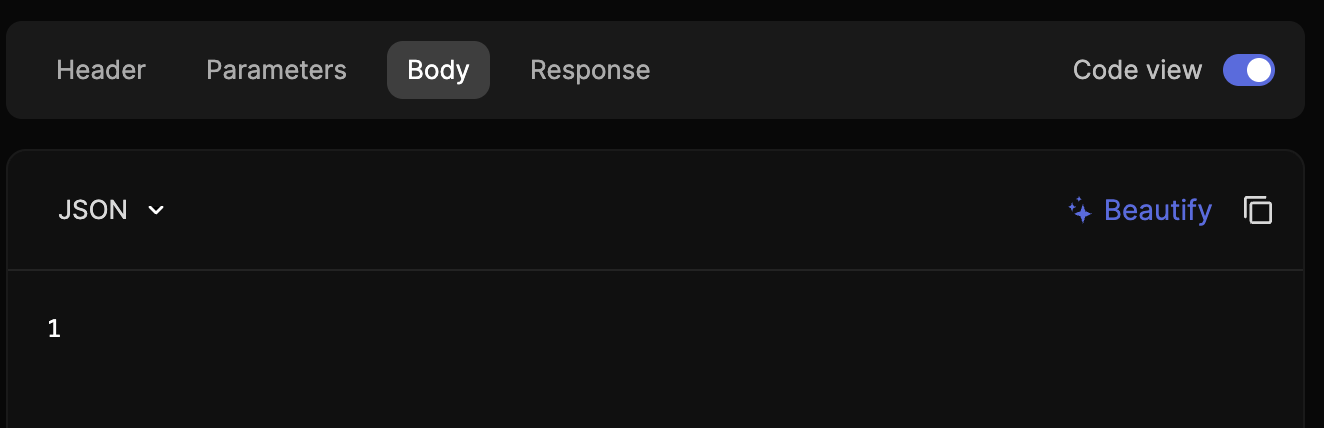
Detail the request
- Headers: content type, authorization tokens, and more.
- Parameters: query parameters and path variables.
- Body: for POST and PUT, the request body structure.
5
Switch views
Toggle between Form View (a guided interface) and Code View (for scripting or pasting raw data).
Configure the response
1
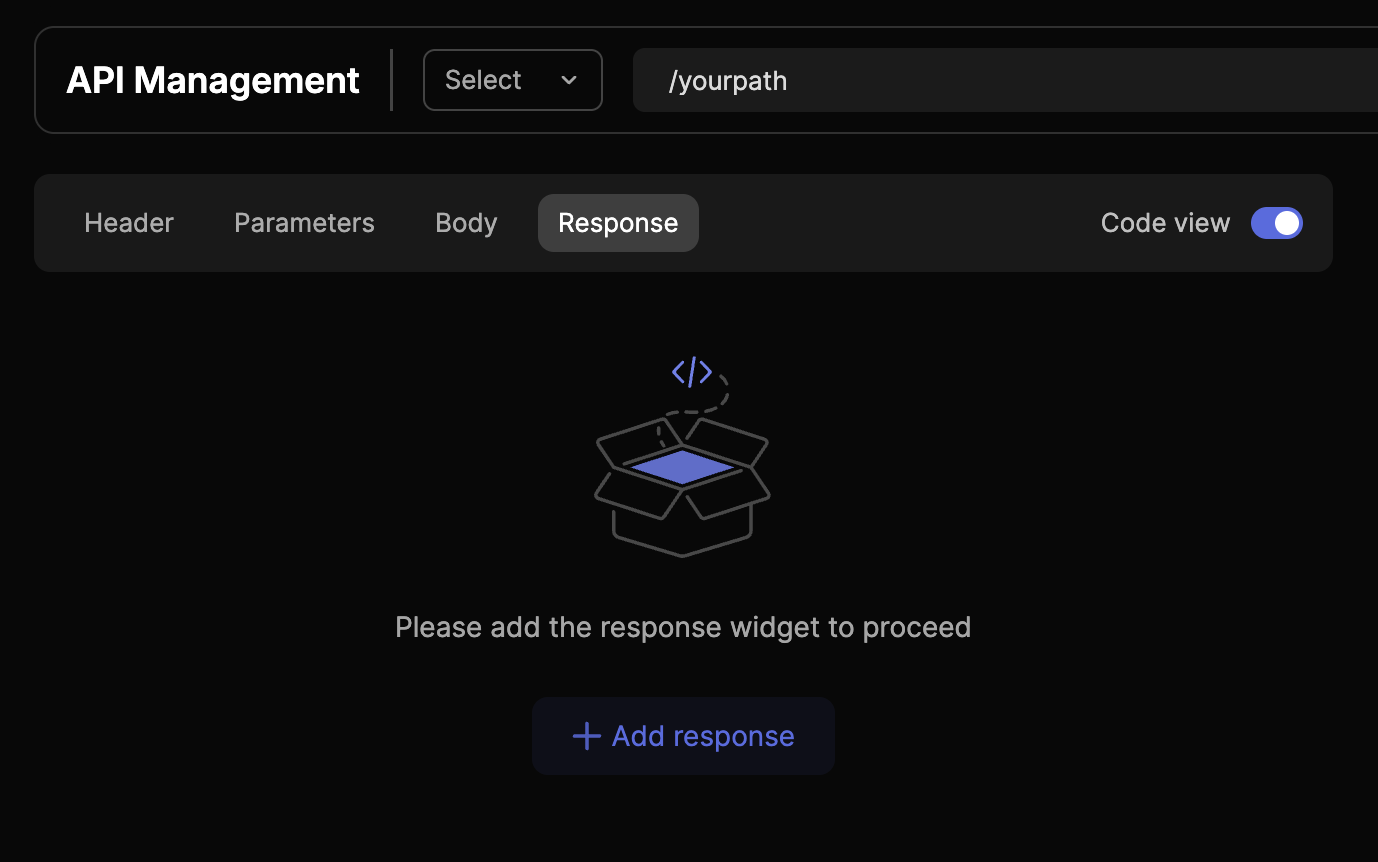
Add the Response widget
Click on the Response tab and then Add Response.
2
Add response codes
A 200 OK response is included by default; add others with the + icon.
3
Detail the response
- Form View: add descriptions and structure the returned data.
- Code View: paste JSON or another format and the widget parses it for easy reading.
4
Document multiple responses
Cover every outcome, for example 200 OK, 400 Bad Request, and 500 Internal Server Error.
More options
- Parameter properties: click the icon at the right of a parameter to add extra properties.
- Required parameters: mark a parameter required with the asterisk icon.
- Parameter actions: delete or duplicate parameters from the three-dot menu.
- Ask AI: let the AI suggest a description in any description field.
- Code Beautify: format raw code instantly in Code View.
- Full Screen Mode: expand the widget for easier endpoint management.
- More Actions menu: hide request or response descriptions, open Base URL configuration, or delete the whole section.
Prefer a cleaner look? Use the three-dot menu to hide the description column for a more streamlined published page.


On this page
- Manually defining an API