API Management
API Management is where your API lives inside the Theneo editor. However your spec makes it into Theneo, this is the place to refine endpoints, parameters, and responses, and keep them accurate over time.
Looking for the supported API formats, or how to automate spec syncing? Those live in the API Reference section.
Two ways to bring in your API
You can get an API into Theneo in two ways:
Import a spec
Upload an OpenAPI or other supported spec and Theneo generates your reference automatically. See Import Your API to get started.
Automate the sync
Connect your source so Theneo keeps your docs in step with the spec as it changes. The API Reference section covers the available sync options.
Either path lands you in the same place: an editable API reference you can shape in the editor.
Edit your API in the editor
Open any section that contains an API endpoint and scroll down to the API Management widget. From there you can change anything the spec generated:
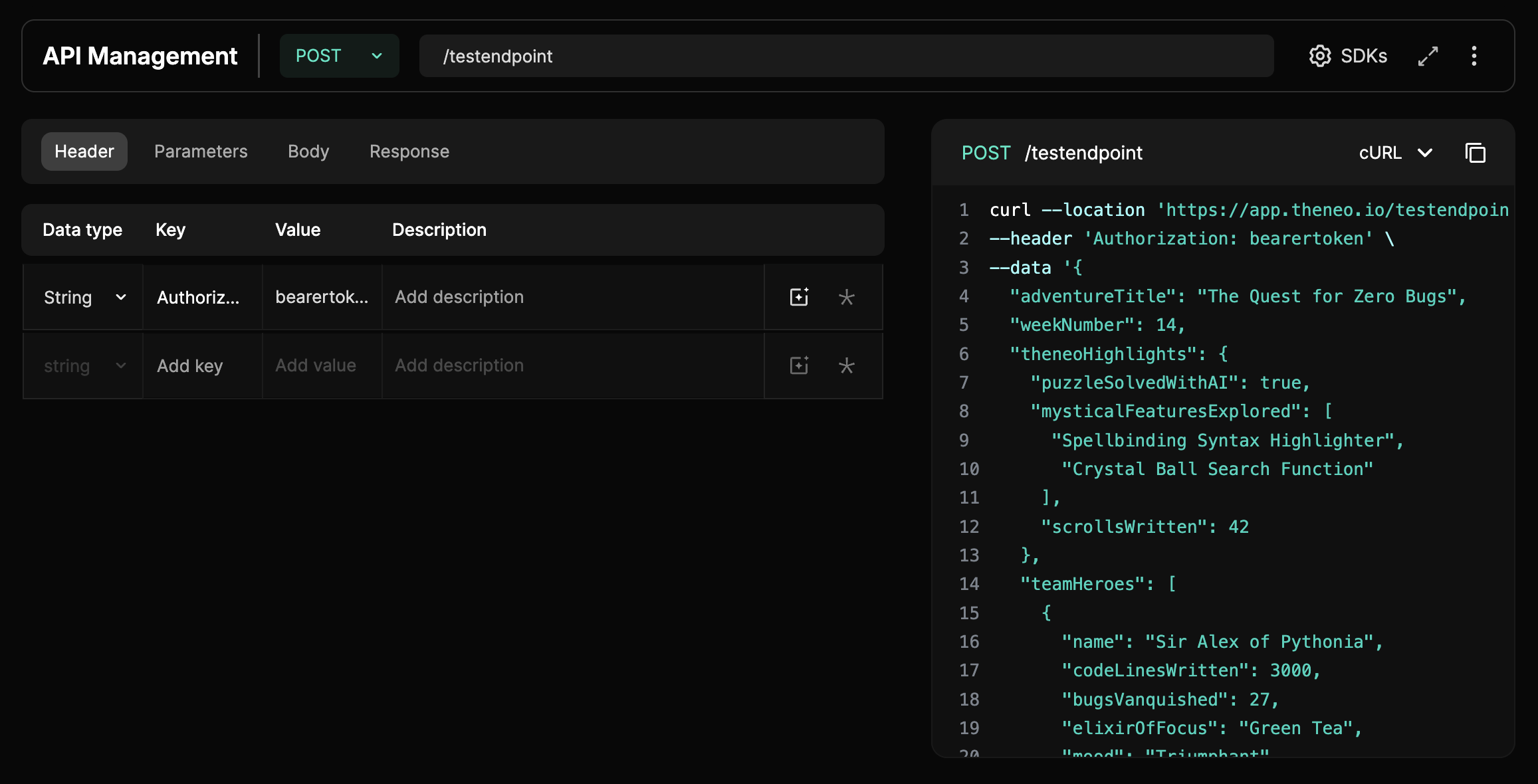
- Descriptions: override or rewrite endpoint and parameter descriptions.
- Values and types: adjust defaults, types, and parameter details.
- Examples and responses: add or edit request examples, add any response you need (including custom or mock responses), and set status codes.
- Parameters: add, remove, duplicate, or mark parameters as required.
- Ask AI: let the AI draft a description for any field.
Changes you make here shape how your API reads in the published docs, so you are never locked into exactly what the spec produced.
Good to know
Endpoints are sections. Every API endpoint in Theneo is a section, so you can link to one like any other page, and a single section can hold both narrative content and an endpoint together, letting guides and reference sit side by side.
Removing the Authorization header. To hide it across your docs, remove the Authorization header globally in your OpenAPI spec, or remove it per section from the headers in the API Management panel.
Building without a spec?
No spec yet? You can define your API by hand. See Manually defining an API for a step-by-step guide to creating endpoints, parameters, and responses from scratch.
Need your spec out of Theneo? It depends what for. To expose it to your API consumers, enable Download API Spec in Project Settings, under the Features tab, and Theneo hosts your most recently imported spec with a download button in the top-right of your published docs. To convert your project into an OpenAPI file as JSON or YAML, use the Theneo CLI export with the --openapi flag.


On this page
- API Management