API Versioning
API versioning lets you maintain multiple versions of your docs as your API evolves.
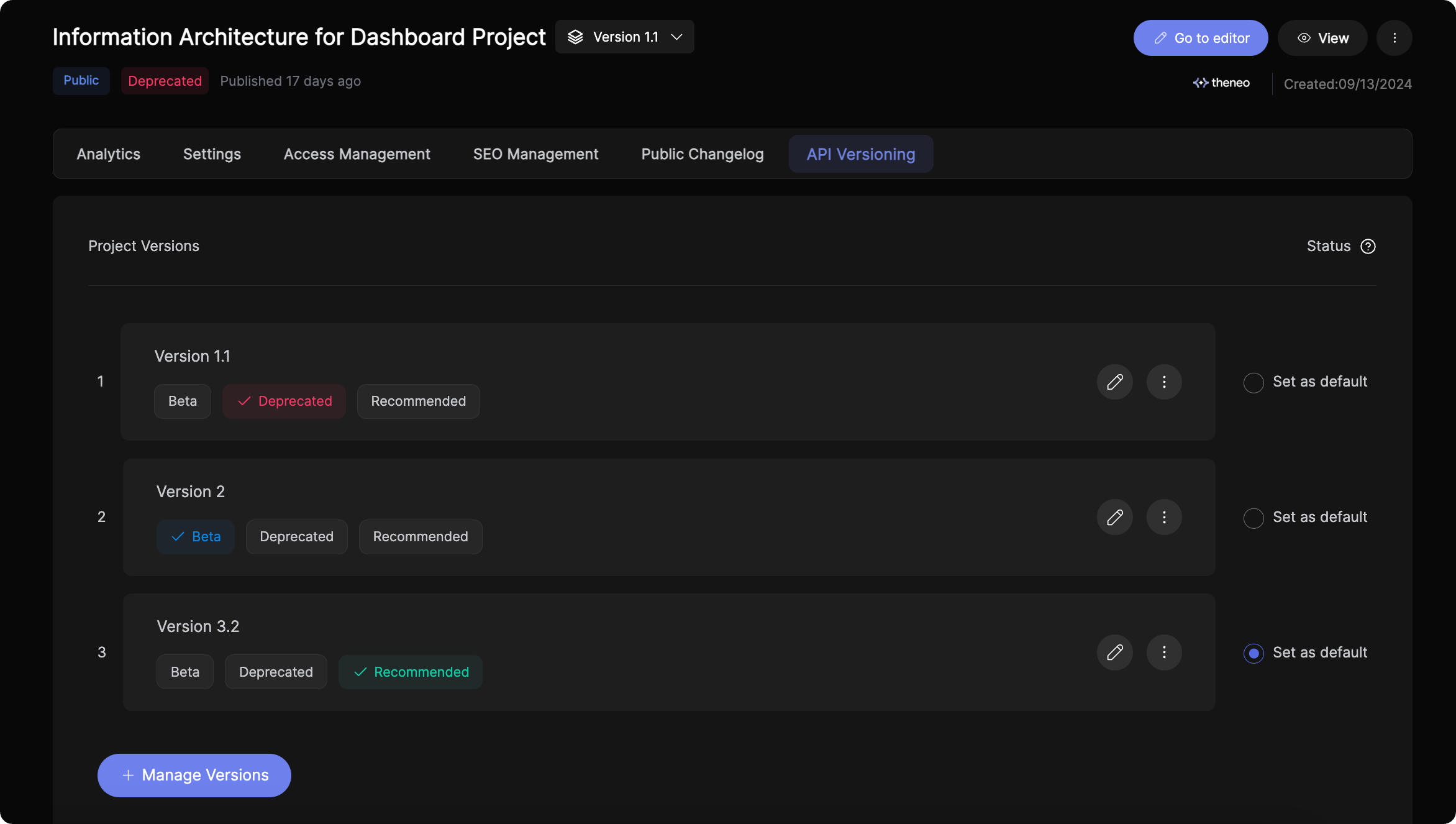
Key features
- Multiple versions — create and manage incremental updates and major releases alike.
- Status labels — mark each version active, beta, or deprecated, plus any custom attributes.
- Per-version configuration — tailor each version’s settings, including access management, SEO, and analytics.
- Version-level changelogs — track changes within a version, clearly communicating updates from 1.1.2 to 1.1.3 and beyond.
Working with versions
- Add new versions — from your project dashboard, import a new API spec or base a version on an existing one.
- Import specs — upload a file, link, Postman collection, or raw text.
- Manage versions — adjust features, access, SEO, and analytics for each version from the settings menu.
- Set version status — define each version’s lifecycle stage from the project versions screen.
Managing API versions
Create a new version
1
Open the API Versioning tab
Go to the Project Dashboard and open the API Versioning tab.
2
Manage versions
Click Manage Versions to open the version management modal.
3
Add a new version
- Enter a name for the version.
- Choose how to create it: import an updated OpenAPI spec, or use an existing version as a starting point and edit it directly.
4
Save and apply
Modify the version's content and configuration so it aligns with your API changes.
Version tags and default versions
- Organize versions with version tags.
- Choose a default version — the one loaded automatically when readers open your documentation, so they always see the most relevant version.
Hiding a version from published docs
- Open the three-dot menu next to the version.
- Click Hide.
- The version disappears from public docs but stays accessible from the Theneo Dashboard for internal use — you can still view and edit hidden versions; external users can’t see them.
CLI automation
Prefer to automate version management? Integrate it into your CI/CD with the Theneo CLI — ideal for large-scale API updates. See the CLI guide for details.
Was this section helpful?


On this page
- API Versioning