Ask AI (AI Search)
Ask AI is your docs’ built-in AI assistant. Readers ask in plain language and get accurate, context-aware answers.
Enable Ask AI
1
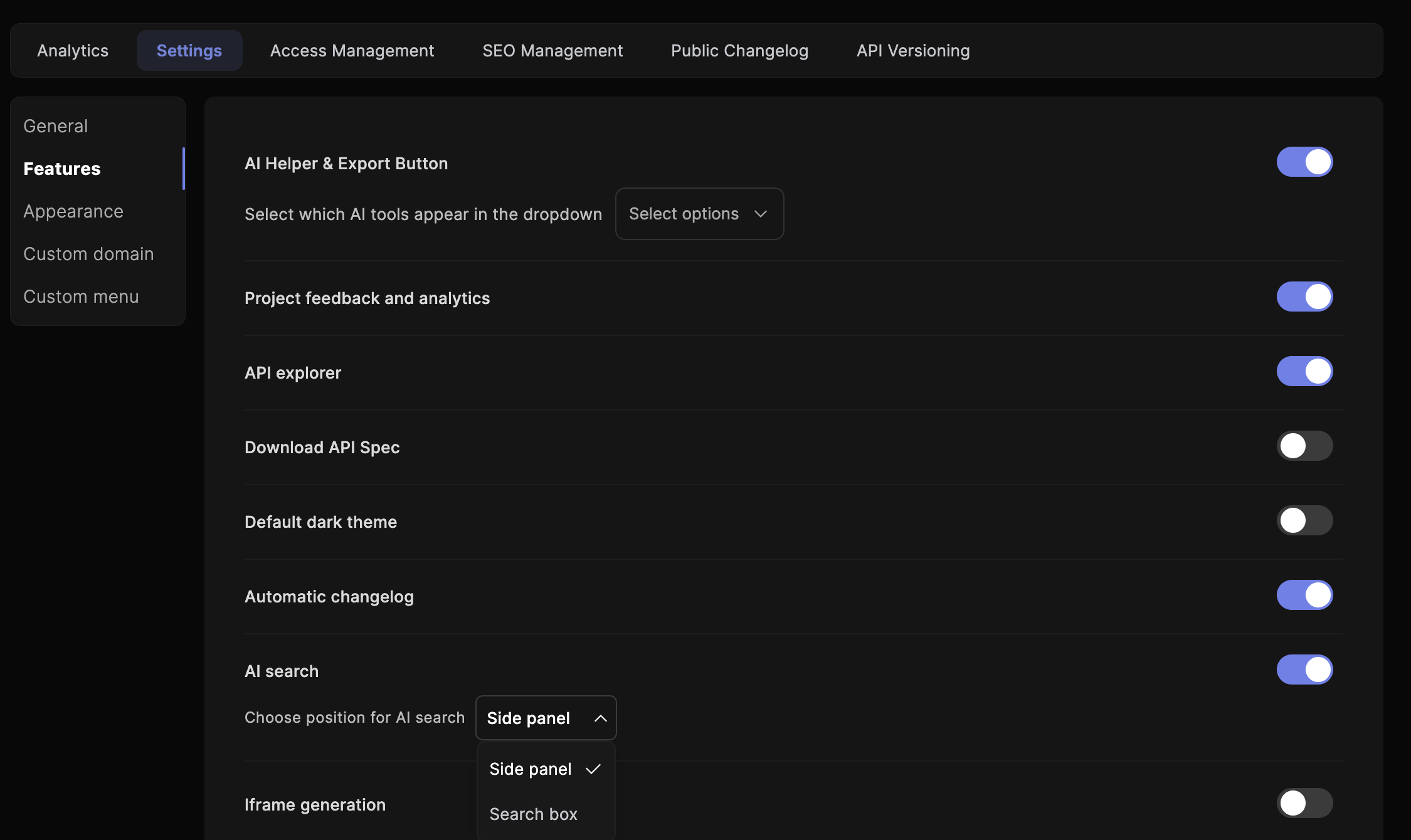
Open Settings → Features
Go to the Settings area of your Theneo project and find the Features section.
2
Toggle on AI Search
Find AI Search and switch it on.
3
Republish
Republish your documentation to make Ask AI live.
Once enabled, readers ask questions directly in the docs interface. Theneo understands the context of your content and responds using the powerful capabilities of GPT-4 Turbo.
Continuous conversation
Ask AI supports fully persistent, multi-turn conversations. Instead of treating each query in isolation, the AI retains context across messages, so readers can ask follow-ups, refine a request, or explore a topic in depth without repeating themselves.
Two delivery modes are available depending on how readers open Ask AI:
Embedded Chat
Conversation threads run directly inside the existing search component. Open Ask AI as usual. The chat interface replaces the single-query input with a persistent thread that holds context for the session.
Side-Panel Assistant
A slide-out modal that opens alongside your published documentation, keeping the page content visible while readers converse with the AI, ideal for referencing docs and asking follow-ups in parallel.
Export & embed Ask AI anywhere
Ask AI isn’t locked inside your Theneo docs. Export the same AI search experience, trained specifically on your documentation, and embed it directly into your own product, app, or website. Your users get consistent, intelligent, context-aware answers wherever they are, always drawing from your latest published content.
Embed in your own app
Drop Ask AI into your product, dashboard, or marketing site so users never have to leave to find answers.
Always in sync
Because it's trained on your published Theneo docs, answers stay accurate automatically as your content changes, with no re-training or maintenance.
Want Ask AI running outside Theneo? Export and embedding are available on request. Reach out to hello@theneo.io to turn it on and get your embed configuration.
FAQ
Does Theneo send my entire documentation to ChatGPT?
Does Theneo send my entire documentation to ChatGPT?
No. Theneo sends only the relevant snippets needed to answer a query, maintaining efficiency and privacy.
Try it now, click search in this very doc, then hit the Ask AI button.


On this page
- Ask AI (AI Search)